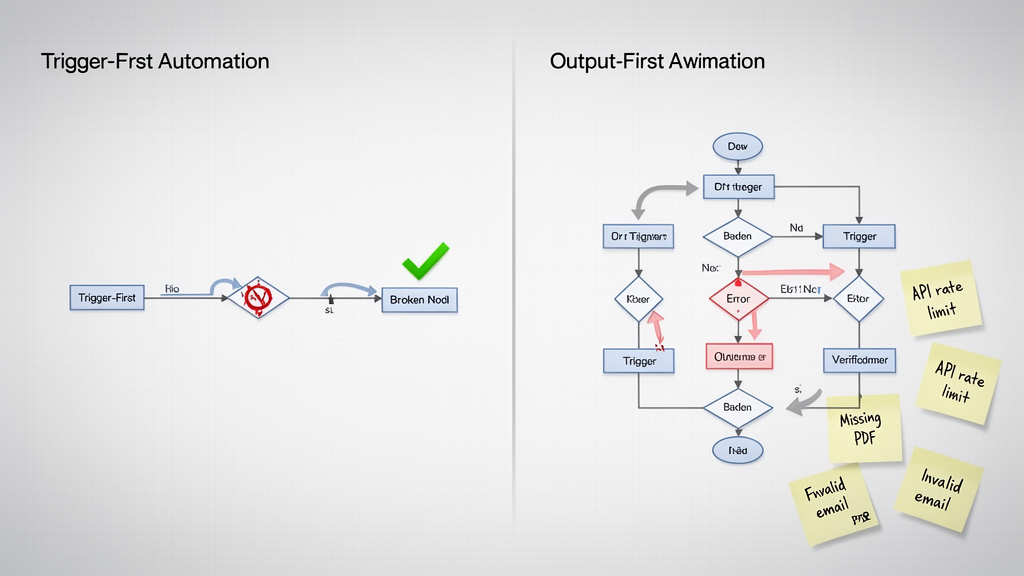
The automation ran. The status said Success. The task completed. And then, three hours later, the invoice never sent.
You check the logs. Every step glowed green. The trigger fired, the data moved, the action executed. The automation did exactly what you built it to do. The problem was that you built it wrong.
Most automations are designed trigger-first. You start with the event that wakes the workflow up, then you chain actions in the order they happen, and you test it once, once, when everything is in the right state. That is why your automations break where you cannot see them. The output-first audit flips the process and surfaces broken assumptions before you build.
Here is how to build automations that actually work.
Why Trigger-First Design Fails
Trigger-first automation is the default. You open Zapier, Make, or n8n, and the builder forces you to pick a trigger. A new row in Google Sheets. A form submission. A webhook fired from your website. The interface hands you a dropdown of events and says, “Start here.” That feels like the natural place to start, so you do.
The problem is that triggers are only the beginning. They are the spark, not the engine. When you design from the trigger, you build forward without knowing whether the downstream actions will actually succeed. You assume the data will be clean. You assume the API will respond. You assume the recipient exists. You assume nothing changes in the three minutes between trigger and action.
None of those assumptions hold. And when they break, they break silently. The automation runs. The logs say Success. The invoice never sends. The customer never gets the welcome email. The CRM record stays empty. The trigger fired. The chain completed. The outcome failed.
Trigger-first design hides the failure point behind a wall of green checkmarks. You cannot see the broken assumption until it costs you a client.
What Output-First Design Actually Is
Output-first design starts at the end. Before you pick a trigger, before you wire any actions, you write down the exact outcome the automation must produce. Not the process. The outcome.
For example: “Send a personalized invoice to the client within two hours of contract signature, attach the signed PDF, and log the payment link in the CRM.” That is the outcome. Everything else is a means to that end.
When you start with the outcome, you force yourself to confront the hard questions before you build anything. What data does the invoice need? Where does it come from? What format does the accounting software expect? What happens if the PDF is missing? What happens if the client’s email bounces? What happens if the CRM API rate-limits you?
The output-first workflow forces you to map the data path backward from the outcome to the trigger. You trace every field, every transformation, every conditional branch. You find the broken assumptions before they cost you anything.
The Output-First Audit: Five Questions Before You Build
Before you wire a single action, run this audit. It takes ten minutes. It saves ten hours of debugging.
1. What is the exact outcome? Write it in one sentence. Not the steps. The result. If you cannot write it in one sentence, you do not understand the automation yet.
2. What data does the outcome require? List every field. Client name. Invoice amount. Due date. PDF attachment. CRM ID. If any field is missing, the outcome fails. Identify the source for each field. If a source does not exist, the automation cannot succeed.
3. What can go wrong between trigger and outcome? Map the failure modes. API rate limits. Missing attachments. Invalid email addresses. Changed form fields. Third-party downtime. Every failure mode is a branch you must handle. If you do not handle it, the automation breaks silently.
4. How do you know the outcome succeeded? What is the verification step? A CRM record created? A confirmation email sent? A database row inserted? Without verification, you have no way to know the automation worked. You only know it ran.
5. What happens when it fails? This is where most automations die. A failed automation should notify you. It should log the error. It should attempt a retry. It should never fail silently. If your automation does not have error handling, it is not production-ready.
Run these five questions on every automation. If you cannot answer them, do not build it yet. The answers will show you where the trigger-first design hides the failure point.
When Trigger-First Is Still the Right Call
Output-first design is not always the right approach. Sometimes the trigger is the constraint. Sometimes the event is time-sensitive. Sometimes the system does not support output-first mapping.
For example, a webhook that fires when a payment fails. The trigger is the failure event. You cannot design backward from the outcome because the outcome is the failure itself. In these cases, trigger-first design is acceptable, but you still run the audit. You still map the failure modes. You still verify the outcome.
Another example: a real-time chat bot that responds to user messages. The trigger is the message. The outcome is the response. The latency constraint is the constraint. You cannot design backward from the outcome because the user is waiting. In these cases, trigger-first design is acceptable, but you still run the audit. You still map the failure modes. You still verify the outcome.
The key is to recognize when the trigger is the constraint and when it is not. When the trigger is the constraint, trigger-first design is acceptable. When the trigger is not the constraint, output-first design is superior. The audit reveals which case you are in.
The Output-First Workflow: A Real Example
Let us walk through a real automation. A freelance designer receives a project brief through a Typeform. The brief includes the client’s name, project type, budget, and deadline. The designer wants an automation that creates a proposal in Google Docs, sends it to the client, and logs the project in Notion.
Trigger-first design would start with the Typeform submission. Then it would create the Google Doc. Then it would send the email. Then it would log the project. The automation would run. The logs would say Success. The proposal would never send. The client would never receive it. The project would never log.
Output-first design starts with the outcome: “Send a personalized proposal to the client within one hour of form submission, attach the signed contract template, and log the project in Notion.” Then it maps backward. The proposal needs the client’s name, project type, budget, and deadline. Those fields come from the Typeform. The proposal template comes from Google Drive. The email address comes from the Typeform. The Notion database needs the project name, client name, budget, and deadline. Those fields come from the Typeform. The automation fails if any field is missing. The automation fails if the email address is invalid. The automation fails if the Google Drive template is missing. The automation fails if the Notion API rate-limits. The automation fails if the email bounces. The automation fails if the Typeform submission is malformed.
Output-first design surfaces every failure mode before you build. Trigger-first design hides them behind green checkmarks. The difference is not technical. It is structural.
When Output-First Design Costs You Time
Output-first design takes longer upfront. It forces you to think before you build. It forces you to map data paths. It forces you to handle failure modes. It forces you to verify outcomes. That takes time. That takes effort. That takes discipline.
But it saves time downstream. It saves debugging hours. It saves client calls. It saves reputation. It saves sleep. The upfront cost is the price of reliability. The downstream savings are the return on investment. Most automations that break silently cost more in debugging than they ever would have in upfront design.
Output-first design is not a luxury. It is a requirement for production-ready automation. If your automation breaks silently, it is not production-ready. If it is not production-ready, it is costing you money. The question is not whether you can afford to design output-first. The question is whether you can afford not to.
Conclusion: Build Backward, Test Forward
Output-first design flips the automation workflow. It starts with the outcome. It maps backward. It surfaces failure modes. It verifies success. It handles errors. It builds reliability into the structure, not the logs.
Trigger-first design builds forward. It assumes success. It hides failure. It logs green. It breaks silently. It costs clients. It costs reputation. It costs sleep.
The choice is not technical. It is structural. Output-first design is the structure that survives production. Trigger-first design is the structure that fails in it. Build backward. Test forward. Your automations will thank you.
FAQ
Q: What is the difference between trigger-first and output-first automation?
A: Trigger-first design starts with the event that wakes the workflow and builds forward. Output-first design starts with the exact outcome and maps backward. Output-first surfaces failure modes before you build. Trigger-first hides them behind green checkmarks.
Q: When should I use trigger-first design?
A: Use trigger-first when the trigger is the constraint. Real-time chat bots. Payment failure webhooks. Time-sensitive events. Even then, run the output-first audit. Map the failure modes. Verify the outcome. Handle errors.
Q: How do I verify an automation succeeded?
A: Add a verification step. Check the CRM record created. Confirm the email sent. Log the database row inserted. Without verification, you only know the automation ran. You do not know it worked.
Q: What happens when an automation fails?
A: A failed automation should notify you. Log the error. Attempt a retry. Never fail silently. If your automation does not have error handling, it is not production-ready.
Q: Does output-first design take longer?
A: Yes. Upfront. It forces you to think before you build. It forces you to map data paths. It forces you to handle failure modes. It forces you to verify outcomes. The upfront cost is the price of reliability. The downstream savings are the return on investment.