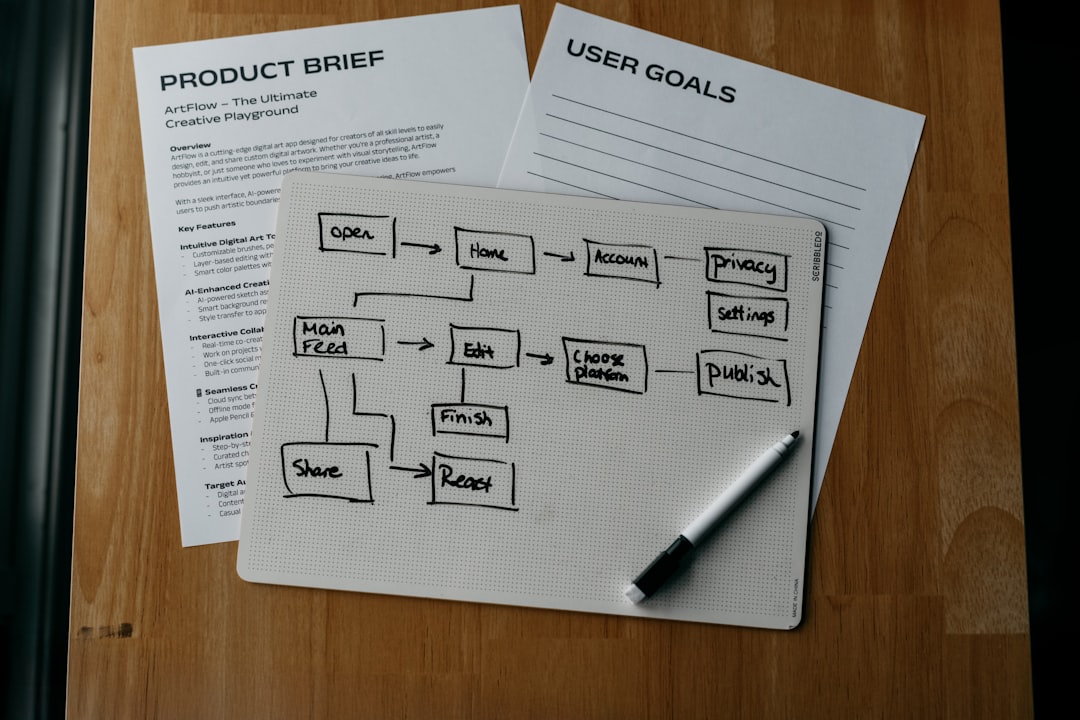
In 2019, a freelance operations consultant named Marcus set up a client onboarding workflow that looked perfect on paper. The trigger fired when a new Stripe payment hit. The action sent a welcome email. The next step created a project in Asana. The fourth step booked a kickoff call on Calendly. The fifth step sent a Slack notification to the team. It was a beautiful, seamless chain of five steps. Then, on the twelfth client, the workflow failed. Not because the logic was wrong. Not because the API keys expired. The workflow simply stopped executing. Marcus checked the logs, refreshed the browser, and waited. Nothing happened. He called Zapier support, expecting a bug report. Instead, he got a pricing page. The 100-task limit on the free plan wasn’t a software limitation. It was a behavioral filter. And Marcus had just hit it.
Zapier’s 100-task limit is a design choice designed to force a specific type of user behavior. Most automation beginners treat this limit as a ceiling to be broken, assuming that if they just optimize their triggers or reduce their polling frequency, they can squeeze more value out of the free tier. They are looking at the wrong variable. The limit is not there to stop you from building complex workflows. It is there to stop you from building workflows that scale. When you understand the 100-task limit as a behavioral constraint rather than a technical one, you stop trying to hack the free plan and start designing automations that actually survive the transition to paid tiers.
The Hidden Cost of the 100-Task Limit
When you build an automation on Zapier’s free plan, you are not paying with money. You are paying with data volume. The 100-task limit acts as a hard cap on the total number of actions your workflows can perform in a single month. This includes every trigger, every filter, and every action. If your workflow has five steps, you can only run it twenty times a month. If you have ten workflows, each with five steps, you can run each workflow only twice a month before you burn through your entire quota.
Most users hit this limit accidentally. They do not realize that a single Zap running on a schedule (like a daily check) counts as one task per run. A daily Zap running for thirty days consumes thirty tasks. A monthly Zap running once consumes one task. The math is simple, but the behavior it encourages is destructive. Users build high-frequency, low-value automations that consume their quota on repetitive checks, leaving no room for the actual business-critical workflows that drive revenue or save time.
This is where the design choice becomes clear. Zapier wants you to build event-driven automations, not polling-based ones. Every time your Zap runs on a schedule, it burns tasks. Every time your Zap runs because a user clicked a button or a payment processed, it burns tasks. The limit forces you to choose: do you want to monitor empty states, or do you want to react to real events? The 100-task limit is a behavioral filter that punishes polling and rewards event-driven architecture. If you are hitting the limit, you are not building too many workflows. You are building the wrong kind of workflows.
Why Polling Burns Your Free Quota
Polling is the silent killer of free plans. It happens when you set a Zap to check a source (like a Google Sheet or a CRM) every five minutes, hoping to catch new data. The Zap runs, finds nothing new, and still counts as one task. If you run this check every five minutes, your Zap executes 288 times a day. That is 288 tasks. In three days, you have burned through your entire monthly limit. You have not processed a single piece of data. You have only burned tasks checking for data that was never there.
Webhooks solve this problem entirely. A webhook is an event-driven trigger. The source application (like Stripe, Shopify, or GitHub) pushes data to Zapier only when something actually happens. No data? No webhook. No task burned. If you have a webhook-based Zap, it might run once a day, or once a week, or not at all. Your task consumption drops by 99%. The 100-task limit becomes irrelevant because you are no longer paying for empty checks. You are only paying for real work.
This is the core lesson of the 100-task limit: It is a cap on your inefficiency. If you are hitting the limit, stop looking at your workflow count. Start looking at your trigger frequency. Replace every scheduled poll with a webhook. Replace every “check for new data” with a “notify when data arrives.” Your workflows will run less often, but they will actually do something. The 100-task limit is there to stop you from building noise.
When the Limit Is Actually a Cap
There are scenarios where the 100-task limit is a genuine cap, not a design choice. If you are running a high-volume e-commerce store, a lead generation campaign with thousands of daily submissions, or a customer support system with hundreds of daily tickets, your task consumption will be driven by real business activity, not polling. In these cases, the limit is a hard barrier. You cannot process 101 tasks on the free plan. You must upgrade.
This is where the design choice becomes a business decision. Zapier’s free plan is not designed for high-volume businesses. It is designed for hobbyists, students, and small teams testing a single workflow. If your business generates more than 100 tasks a month, you are not a free plan user. You are a paying customer who has not been billed yet. The limit is a pricing tier. Zapier is telling you, in the clearest possible terms, that your automation has value, and value costs money.
When you hit the limit, do not try to hack it. Do not split your workflows into smaller Zaps. Do not reduce your polling frequency to save tasks. Upgrade. The free plan is a trial, not a product. If your automation is driving revenue, saving time, or reducing errors, it is worth paying for. The 100-task limit is a signal that you have outgrown the hobbyist tier. Stop trying to fit a business workflow into a hobbyist limit. Upgrade, or redesign your workflow to be event-driven.
How to Design Around the Limit
If you cannot upgrade, you must redesign. The 100-task limit forces you to be ruthless about what your automations do. Every task must earn its place. If a workflow step does not directly drive revenue, save time, or reduce errors, it does not belong in your automation. This is the hardest part of automation design: knowing what not to build.
Start by auditing your existing Zaps. How many tasks does each one burn per month? How often does it run? What is the business value of each run? If a Zap runs daily, burns 30 tasks, and does nothing but send a reminder email, it is a luxury. Cut it. If a Zap runs hourly, burns 720 tasks, and checks for data that never arrives, it is a waste. Replace it with a webhook. If a Zap runs once a month, burns one task, and processes a critical payment, it is essential. Keep it.
Next, prioritize event-driven triggers. Every workflow should start with a webhook, not a schedule. If your source application supports webhooks, use them. If it does not, find a middle layer (like Make or n8n) that can listen for events and push them to Zapier. The goal is to reduce your task consumption to the absolute minimum required to process real business data. If you can process 100 tasks a month, you can run 100 real workflows. That is enough for most small businesses. If you need more, you need to upgrade. The limit is a feature.
The 100-Task Limit Is a Feature, Not a Bug
Zapier’s 100-task limit is not a technical cap. It is a design choice designed to force you into event-driven architecture, punish polling, and signal when your automation has real business value. You are building the wrong kind of automation. Replace polling with webhooks. Cut luxury workflows. Upgrade when your automation drives real revenue. The limit is there to make you better.
When you stop fighting the 100-task limit and start designing around it, your automations become leaner, faster, and more valuable. You stop paying for empty checks. You start paying for real work. And when you finally hit the limit, you will know exactly why: your automation is working, and it is time to upgrade. The 100-task limit is a design choice. And it is the best thing that ever happened to your automation strategy.
Sources & Further Reading
- Zapier Pricing — Zapier
- How Zapier Tasks Work — Zapier
- Webhooks vs. Polling: Understanding Automation Triggers — npm
Photo by Kelly Sikkema on Unsplash.