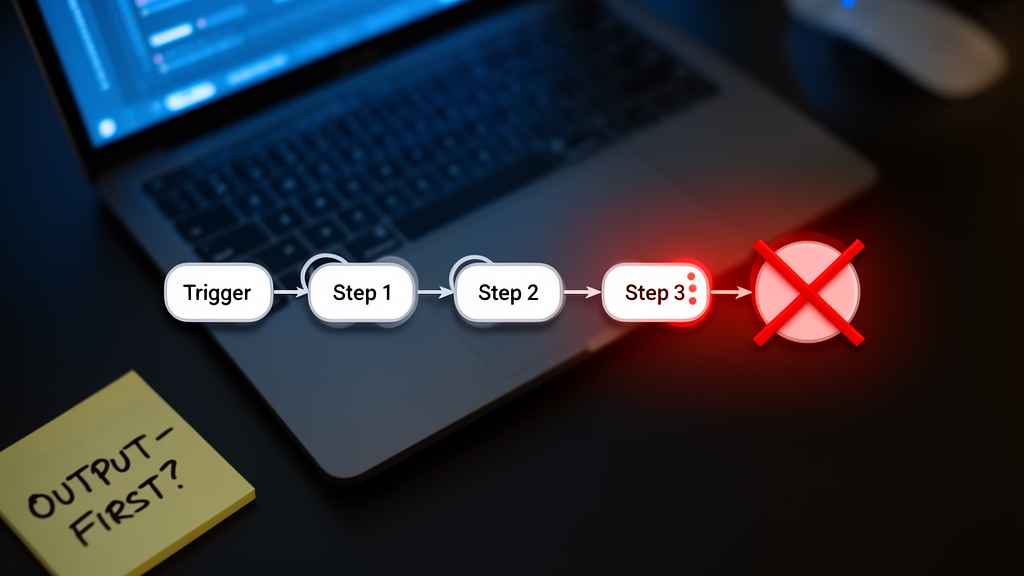
The Automation That Ran Successfully (And Still Failed)
You built the automation. You tested it. You hit Run and watched the green checkmark appear in your tool of choice. The status says Success. The task completes. And then, three hours later, the invoice never sends, the client never gets the contract, or the lead sits in a limbo state that your CRM can’t resolve.
Everyone blames the tool. They blame Zapier. They blame Make. They blame the API. They rebuild the automation from scratch, hoping the next version will behave differently. But the automation didn’t break. It worked exactly as designed. The design was just wrong.
Most automations are designed trigger-first. You start with the event that sparks the workflow, a new email, a Stripe payment, a form submission, and you build forward from there. This feels like the logical starting point. It is also the primary reason your automations break silently at midnight.
The fix is not better error handling. It is an output-first audit. You flip the process. You start with the final state the automation must produce, and you work backward to the trigger. This exposes broken assumptions before you build a single step. It saves hours of debugging. It stops the silent failures that cost you clients.
Why Trigger-First Design Fails Silently
When you design an automation trigger-first, you are optimizing for speed, not reliability. You want the system to react instantly. So you chain steps together as tightly as possible, assuming every upstream tool will behave perfectly. This assumption is the single greatest risk in any workflow.
Consider a standard client onboarding automation. The trigger is a new Stripe payment. Step one creates a Notion database entry. Step two generates a PDF contract. Step three emails the contract to the client. Step four sends a Slack notification to your team. Step five adds the client to a Mailchimp audience.
On paper, this looks solid. In practice, it is fragile. What happens when the Stripe payment succeeds, but the Notion API returns a 429 Too Many Requests error? The automation fails at step two. The Stripe payment is recorded. The client paid. But they never get the contract. They never get the Slack notification. They sit in a limbo state, wondering why you haven’t responded.
Most people respond to this by adding error handling. They add a catch step. They send an alert to Slack when the Notion step fails. This is good. It is also insufficient. The alert tells you something broke. It does not tell you how to fix it. It does not prevent the client from sitting in limbo. It just notifies you that you need to manually intervene.
Trigger-first design hides the failure mode. You see the green checkmark because the trigger fired. You don’t see the downstream consequences until the client complains. This is why your automations feel reliable until they aren’t.
The Output-First Audit: A Step-by-Step Framework
The output-first audit forces you to define success before you define the mechanism. It is a simple mental shift, but it changes every decision you make during the build. Here is how to run it.
Step 1: Define the Final State. Before you open your automation tool, write down exactly what must exist after the automation runs. Not what happens along the way. What exists at the end. For the client onboarding example, the final state is: The client has received a signed contract, has been added to the onboarding sequence, and your team has been notified. If any of these four conditions are missing, the automation failed, regardless of whether the trigger fired.
Step 2: Map the Dependencies. Look at your final state. What must happen immediately before it? In our example, the contract must be generated and emailed. The client must be added to Mailchimp. The team must be notified on Slack. Map these backward. What must happen before the contract is generated? The Notion entry must exist. What must happen before the Notion entry exists? The Stripe payment must be verified.
Step 3: Identify the Failure Points. Now, look at each step and ask: what happens if this step fails? Not what does the tool say when it fails. What happens to the final state? If the Stripe payment verification fails, the entire chain stops. If the Notion entry fails, the contract cannot be generated. If the email fails, the client never receives the contract. Map these failure points on a diagram. This is your risk map.
Step 4: Design the Recovery. For each failure point, design a recovery path. Not just an alert. A recovery. If the Notion entry fails, can you retry? Can you fall back to a Google Doc? Can you pause the workflow and notify the client that there is a delay? Recovery paths turn silent failures into managed exceptions.
Step 5: Build Backward. Finally, build the automation from the final state backward to the trigger. Start with the Slack notification. Add the Mailchimp step. Add the email step. Add the contract generation. Add the Notion entry. Add the Stripe trigger. This forces you to build the most critical steps first, ensuring they are robust before you add the fluff.
Real-World Example: The Client Onboarding Workflow
Let’s apply this to a real workflow. You are a freelancer. You need to onboard new clients. Your current automation is trigger-first. A Stripe payment triggers a Zapier zap. The zap creates a Notion page, generates a PDF, emails it, and sends a Slack notification. It breaks silently when the Notion API rate-limits you. The client pays, but never gets the contract.
Run the output-first audit.
Final State: The client has received a signed contract. The team has been notified. The client is in the onboarding sequence.
Dependencies: Contract generation requires the Notion page. Email requires the PDF. Slack notification requires the contract link. Mailchimp requires the client email.
Failure Points: Stripe payment verification. Notion API rate limits. PDF generation service downtime. Email delivery failures. Slack API throttling.
Recovery Paths: If Stripe verification fails, pause and retry after 5 minutes. If Notion API rate-limits, fall back to a Google Doc template and email it directly. If PDF generation fails, notify the client and retry in 15 minutes. If email delivery fails, queue it and retry. If Slack notification fails, send an email to the team instead.
Build Backward: Start with the Slack notification. Add the Mailchimp step. Add the email step. Add the contract generation. Add the Notion entry. Add the Stripe trigger. Add the recovery paths at each step.
This workflow is longer. It is more complex. It is also infinitely more reliable. When it breaks, you know exactly where it broke, why it broke, and how to fix it. The client never sits in limbo. The team is never left guessing. The automation does what it is supposed to do, even when the tools fail.
When Trigger-First Is Still the Right Choice
Output-first design is not a silver bullet. There are cases where trigger-first is still the right choice. If the automation is purely informational, a log entry, a backup, a notification, and the failure has no downstream consequence, trigger-first is fine. If the automation is a one-off experiment, trigger-first is fine. If the automation is low-stakes and high-frequency, trigger-first is fine.
But if the automation touches money, client data, or legal documents, trigger-first is a liability. If the automation is part of your core business operations, trigger-first is a liability. If the automation is something you cannot afford to break silently, trigger-first is a liability.
For these automations, output-first is not optional. It is the baseline. It is the difference between a tool that works and a tool that works when it matters.
How to Audit Your Existing Automations
You likely have dozens of automations running right now. Most of them are trigger-first. Most of them are fragile. Here is how to audit them without rebuilding everything from scratch.
1. List Your Critical Automations. Identify the automations that touch money, client data, or legal documents. These are your high-stakes workflows. Focus on these first. Ignore the low-stakes ones for now.
2. Run the Output-First Audit. For each high-stakes automation, run the five-step audit. Define the final state. Map the dependencies. Identify the failure points. Design the recovery paths. Build backward.
3. Implement Recovery Paths. Start with the easiest recovery paths. If your automation tool supports retries, enable them. If it supports fallback steps, add them. If it supports notifications, add them. Small changes add up.
4. Monitor and Iterate. Once you have implemented recovery paths, monitor the automations. Look for failures. Look for exceptions. Look for client complaints. Use this data to refine your recovery paths. This is a continuous process, not a one-time fix.
This audit is not about perfection. It is about resilience. It is about building automations that fail gracefully, not automations that fail silently. It is about building systems that you can trust, even when the tools fail.
The Hidden Cost of Silent Failures
There is a hidden cost to silent failures. It is not the time you spend debugging. It is not the money you lose when a client leaves. It is the trust you lose when a client realizes you cannot be relied upon. Once a client loses trust, you cannot buy it back. You can only build it again, from scratch, with a new client.
Output-first design protects that trust. It ensures that your automations do what they are supposed to do, even when the tools fail. It ensures that your clients are never left in limbo. It ensures that your team is never left guessing. It ensures that your business is resilient, not fragile.
This is not a technical problem. It is a business problem. It is a problem of risk management. It is a problem of operational excellence. It is a problem of building systems that work when it matters.
Conclusion: Build for the Midnight Break
Your automation did not break at midnight. It worked exactly as designed. The design was just wrong. By flipping the process and starting with the output, you expose the failure modes before they cost you clients. You build recovery paths instead of just alerts. You build systems that fail gracefully, not systems that fail silently.
The next time your automation runs successfully but fails to deliver, ask yourself: did I design this trigger-first? If the answer is yes, run the output-first audit. You might be surprised by what you find.