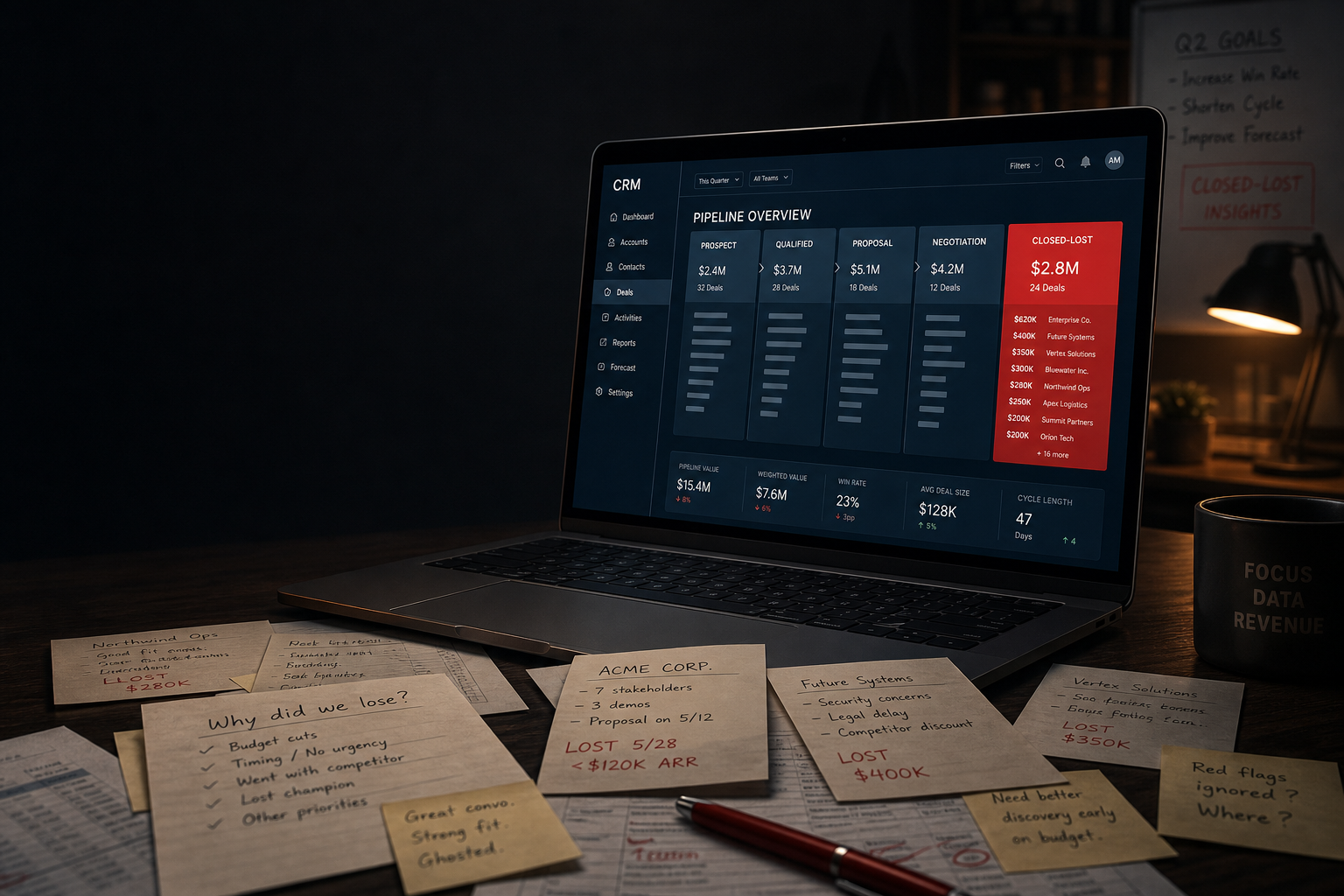
Closed-lost data in your CRM is the most instructive number most small teams never actually read. You spend real money filling the top of a pipeline, wrestle deals through four or five stages, and then, when a prospect says no, click “Closed Lost,” pick a reason from a dropdown, and move on. The loss reason becomes a statistic. The conversation that produced it becomes nothing. And the pipeline keeps telling you exactly what you want to hear, because all the noise about why deals die gets buried in a field nobody queries.
This article is about a specific analytical habit: treating your closed-lost data as a product signal, not a consolation report. Done properly, it tells you which segments you should stop chasing, which objections are actually fixable, and where your messaging is creating expectations your product can’t meet. Done the way most teams do it, it fills a “Reason Lost” picklist that becomes a graveyard of vague entries labeled “No Budget” and “Went with Competitor.”
Why Closed-Lost Data in Your CRM Gets Misread by Default
The structural problem starts with how CRMs ask the question. Salesforce, HubSpot, and Pipedrive all default to a single-select “Loss Reason” field. The options are typically things like: No Budget, Wrong Timing, Went with Competitor, No Decision, Other. These categories are broad enough to swallow almost any real explanation. “No Budget” can mean the prospect genuinely didn’t have funds, that your pricing wasn’t anchored properly on the call, that the deal was never qualified, or that the sales rep gave up and needed a tidy label. You get four entries that say “No Budget” and learn nothing you can act on.
Research by Harvard Business School professor Frank Cespedes, who has studied sales force effectiveness across industries, finds that reps systematically underreport competitive losses and overreport budget-related losses because the latter feels less like a personal performance failure. The data isn’t just vague. It’s directionally biased.
So your pipeline is lying in two directions: it inflates the apparent importance of budget as a barrier, and it hides competitive displacement behind entries like “No Decision.” Before you can fix anything, you need to understand how the misreading happens.
The Three CRM Loss Patterns That Actually Mean Something
Not all closed-lost data is equally useless. Three specific patterns, when you look at the right fields in combination, give you actionable signal.
Pattern 1: Loss Stage vs. Loss Reason
A deal that dies in Stage 2 (Discovery) with the label “No Budget” is a qualification failure. The same label on a Stage 5 (Pricing/Negotiation) deal is a pricing or value-articulation problem. Most teams look at loss reason in isolation and never cross it with stage. Pull a simple pivot: loss reason by pipeline stage, segmented by deal size. You’ll almost always find that certain reasons cluster at specific stages, which tells you exactly where the breakdown is happening in your process, not just what the prospect said at the end.
In HubSpot CRM, this is a custom report with deal stage as the row dimension and closed-lost reason as the column, filtered to deals closed in the last 90 days. In Salesforce, it’s a standard matrix report on the Opportunity object. Neither requires a BI tool. Both require someone to actually build them.
Pattern 2: Velocity Before Loss
Deal velocity (how fast a deal moves through stages) is normally discussed as a win predictor. It’s equally useful as a loss diagnostic. Deals that move very fast and then die share one profile: they were never really in the pipeline. The prospect was doing research, collecting options, or checking your pricing against an incumbent. Deals that move very slowly and then die in late stages share a different profile: internal champion didn’t have enough authority, or your product hit an unforeseen technical requirement.
These two groups need entirely different responses. Fast-fast-dead deals suggest you need better early qualification questions or a structured free-trial path that removes low-intent prospects sooner. Slow-slow-dead deals suggest you need a multi-stakeholder engagement strategy earlier, because a champion who can’t get internal sign-off is a cost center, not an opportunity.
Pattern 3: Closed-Lost by Cohort, Not by Period
Here’s the one most teams skip entirely: cohort your losses by lead source. Take every deal closed lost in the last six months, group them by where the lead came from (paid search, outbound cold email, inbound content, referral, partner), and calculate loss rate and average deal size by source. You will almost certainly find one source that has a dramatically higher loss rate and lower average deal value than the others. That source is probably still receiving budget because the volume it produces looks healthy in a top-of-funnel dashboard.
This is what could be called the source leak test: if a lead source contributes more than 20% of your pipeline volume but less than 10% of your closed-won revenue, it is not an acquisition channel. It is a pipeline inflation mechanism. It makes your funnel look full while quietly eating your conversion rate. Cut it or rebuild it before adding any new acquisition spend.
How to Actually Fix Your CRM’s Loss Data Collection
The fix is structural, not behavioral. Asking reps to “be more careful” with loss reasons doesn’t work. The picklist needs to change, and a note field needs to become non-optional.
Here’s a specific rebuild that takes about 20 minutes in HubSpot or Salesforce and produces dramatically better data within one quarter:
- Replace the generic picklist with stage-conditional options. Salesforce allows dependent picklists (Loss Reason depends on the stage at which the deal was closed). HubSpot allows this via conditional logic in custom properties. Deals lost in Discovery see options like “Poor fit on use case,” “Prospect was not the buyer,” “Timeline not viable.” Deals lost in Negotiation see options like “Price vs. perceived value gap,” “Competitor selected,” “Procurement block.” The options match the context, so reps aren’t retrofitting reality onto the wrong vocabulary.
- Make the loss reason note field required, not optional. A single sentence. “Prospect told us they chose [Competitor] because [specific thing]. Deal size: [X].” Most CRMs let you make a text field required on stage transition. Use it. One sentence per deal gives you qualitative signal at scale when you read 50 of them together.
- Add a “competitive displacement” flag. A separate yes/no property (not buried inside the reason dropdown) that simply asks: was a named competitor the reason for the loss? This one field, queried monthly, tells you whether your competitive loss rate is rising or falling, independent of whatever reason label was applied.
This three-field approach produces structured data you can actually segment and note-level data you can actually read. The two types of information answer different questions: the structured fields tell you where, and the notes tell you why.
What the Closed-Lost Pattern Usually Reveals About Messaging
When you read 30 to 50 closed-lost notes in a single sitting, something specific happens: you start seeing the same sentence structures appear across different reps and different deals. Phrases like “they thought we only did X” or “they didn’t realize you could Y” or “they assumed we were too expensive before asking” cluster together and point at a messaging gap, not a sales performance gap.
This is the most underused insight in most CRM pipelines. A prospect who bought from a competitor because they “thought we didn’t integrate with [tool]” is not a loss caused by a bad sales call. It’s a loss caused by a website, a landing page, or an onboarding email sequence that failed to communicate a capability clearly enough to survive the evaluation phase. The fix isn’t a sales training session. It’s an update to the product page and the first two emails in the trial sequence.
For teams that use a product-led growth model, this analysis is especially valuable. If you’re relying on self-serve conversion to carry most of the pipeline load, closed-lost notes from your sales-assisted deals are a leading indicator of where your in-product messaging is failing the users who never talked to a rep. The patterns are the same; the fix is in the product, not the pitch. For a comparison of when PLG and sales-assisted models interact in the pipeline, the breakdown in product-led growth vs. sales-led growth is worth reading alongside this analysis.
The Honest Limits of Closed-Lost Analysis
This approach doesn’t solve everything, and naming where it breaks down is part of using it correctly.
Closed-lost data from very small sample sizes is almost meaningless. If you close fewer than 20 deals per quarter (won and lost combined), the patterns you think you’re seeing are likely noise. The stage-loss and source-cohort analyses described above require at least 50 to 60 closed-lost entries before the numbers stabilize enough to act on. Before that threshold, qualitative outreach to three to five lost prospects per month produces better signal than any pivot table.
Win-loss analysis done by internal reps also carries an unavoidable bias problem. Reps know what reasons make them look less accountable. If you want genuinely unbiased competitive intelligence, you need someone outside the sales team (a CS manager, a founder, or a hired win-loss firm) to conduct the post-loss calls. The data collected by an objective third party is consistently different from the data collected by the rep who ran the deal.
Finally, closed-lost data tells you what happened in your current ICP. It tells you almost nothing about the deals you never got into the pipeline in the first place, because the prospects never responded to your outreach, never found your content, or never looked for a solution like yours at all. That’s a separate problem, and closed-lost analysis doesn’t reach it.
A 30-Minute Monthly Review That Pays for Itself
Pulling this into a real practice doesn’t require a revenue operations hire or a BI tool subscription. It requires a calendar event and a discipline to actually look at the numbers instead of just at the pipeline total.
Once a month, run three queries: (1) loss reason by stage for the trailing 30 days, (2) competitive displacement flag count vs. the prior month, and (3) loss rate by lead source for the trailing 90 days. Read the most recent 20 closed-lost notes. Write two sentences per query: what changed, and what you’re going to do about it if anything. Share it with whoever owns messaging, product, and acquisition. That’s the whole process. Thirty minutes, three data pulls, two sentences each, one conversation.
The teams that skip this step are not saving thirty minutes. They’re spending that thirty minutes somewhere downstream, in a pricing page redesign that doesn’t address the real objection, in a sales playbook that trains for the wrong competitor, or in an acquisition budget that funds a lead source that was never actually working. If you want to sharpen your cold outreach on the basis of real loss patterns rather than assumptions, the mechanics in improving cold email reply rate are more effective when you know what the actual objections are before you write the sequence.
The CRM pipeline number is not the truth about your business. It’s a story your pipeline is telling you about your business. Closed-lost data is the edit that makes the story accurate. Most teams never read it.